
Image to Minecraft Skin
Upload a photo or picture and the AI turns it into a Minecraft skin for Java and Bedrock. 1 credit per skin, 3 free when you sign in.
- JPG · PNG · WebP
- 64×64 + HD 128×128
- 1 credit per skin
Photos are deleted within 24 hours. Must be 13+.
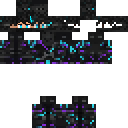
How to turn a photo into a Minecraft skin
- 1
Upload an image
A clear photo with one person or character, face visible, in JPG, PNG or WebP up to 10 MB.
- 2
Pick classic or slim
Classic arms are 4 pixels wide, slim (Alex) arms are 3. Then press Generate; it uses 1 credit.
- 3
Wait about 2–3 minutes
The AI draws the views, unfolds them into the skin layout and paints the face. You can leave the page; it keeps going.
- 4
Download and play
Get the 64×64 PNG for Java or the .mcpack for Bedrock, or open the skin in the editor to touch it up.
Photo to Minecraft skin examples
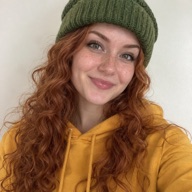
Unedited results, shown at 128×128 (HD). The sample photos are AI-generated people, not real people.

What you download
64×64 PNG
Java & Bedrock- Use it in
- The Minecraft Launcher (Skins tab) for Java Edition, or the Dressing Room import on Bedrock.
- Arms
- Classic (4 px) or slim (3 px), the style you picked before generating.
- Edit it
- Open it in the free Skin Designer to fix any pixel or the second layer.
128×128 HD .mcpack
Bedrock- Use it in
- Open the .mcpack on a phone, tablet or Windows PC; Minecraft imports the skin pack.
- Detail
- Twice the resolution, so the face is 16×16 pixels instead of 8×8.
- Note
- Vanilla Java Edition does not load HD skins; use the 64×64 PNG there.
Both files come from the same generation, and every skin is saved in My skins.
Tips for a better photo to skin result
One subject, facing the camera
A single person or character from the waist up, looking at the camera, gives the clearest face. With several people in the shot, crop the photo to the one you want first.
Strong colors win
Clothes with clear colors and shapes (a red hoodie, a striped shirt) read well at 64×64. Busy prints are simplified.
Light and focus
Even light and a sharp face matter more than resolution. Avoid heavy filters, sunglasses at night and very dark photos.
How image to Minecraft skin works
A Minecraft skin is not a picture of a person. It is a small texture that wraps around a blocky body: the head, body, arms and legs each have six faces, laid out flat on a 64×64 grid. Turning an image into a skin means working out what the front, back and sides of the character look like, and then painting each face pixel by pixel.
The AI does that in a few steps. It reads the photo and draws the character from the front and back, unfolds that into the skin layout, paints a separate pixel face so the eyes and mouth stay readable, and then cleans the result up into a real Minecraft texture. You get the 64×64 PNG that Java Edition and Bedrock both accept, and an HD 128×128 version packed as a .mcpack for Bedrock.
It works with photos of people, pets, toys, drawings and characters, in JPG, PNG or WebP. Hair, glasses, hats, hoodies and colors carry over best; tiny logos and text are simplified, because a skin face is only 8×8 pixels. If a detail comes out wrong, open the skin in the free Skin Designer and fix it by hand.
Your photo is only used to make the skin and is deleted automatically within 24 hours of upload. Upload only photos of yourself, or photos you have permission to use.